Permits, drivers and pilot cars for the whole fleet.
FleetLynk is permit software for carriers. Apply for an oversize permit once, follow each state on the route while your permit office files it, and see what every permit cost, line by line. Your driver opens one link with no app to install, and My Fleet keeps trucks, trailers, drivers and expiry dates in one list.
Truck 14
Lowboy · Sam Ortiz
RegistrationExpires in 30d
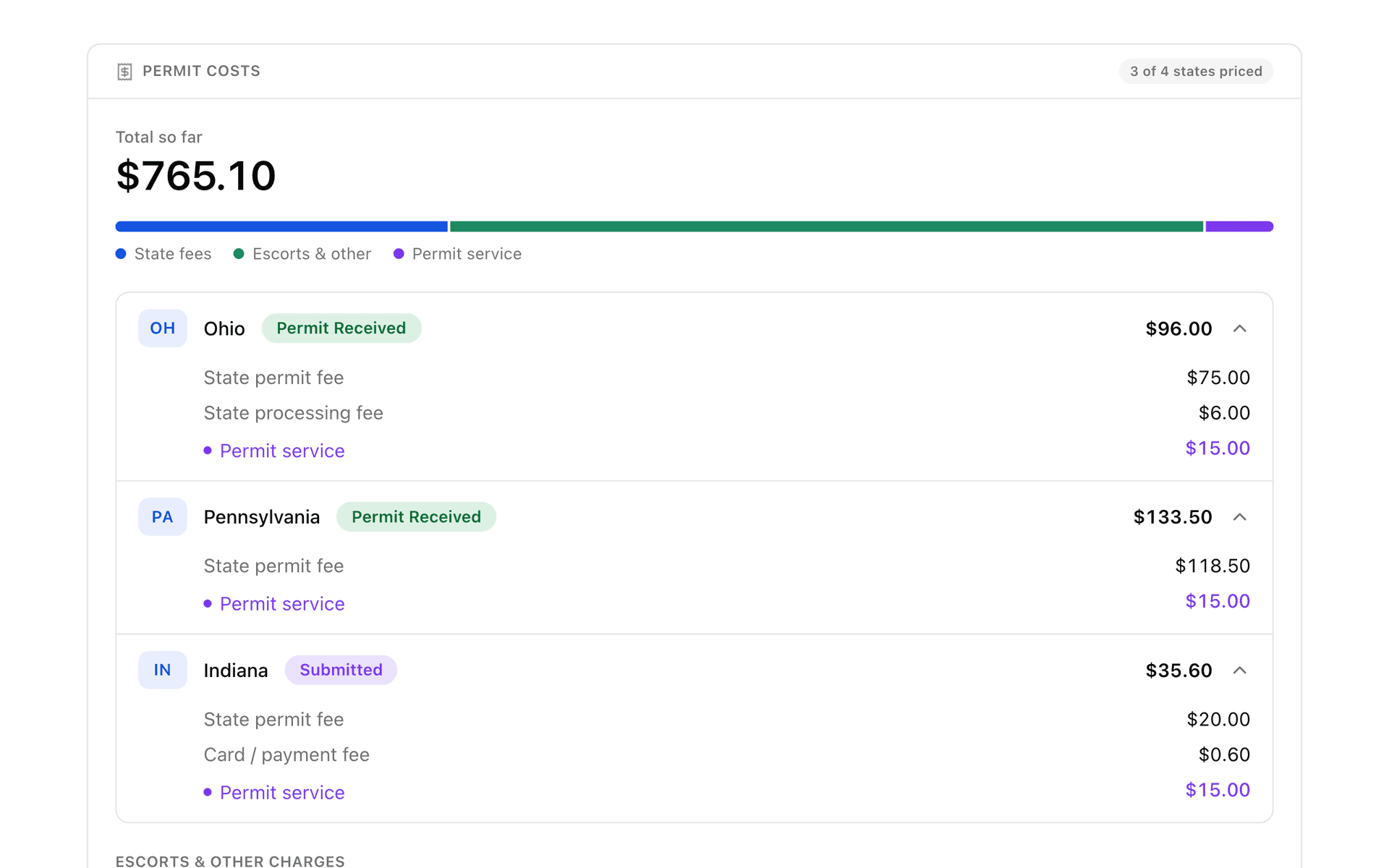
- State fees
- Escorts & other
- Permit service
Houston, TX → Atlanta, GA
Pick a truck and a driverTruck 14 · Sam Ortiz
- TXWaiting to startFiled with the statePermit in hand
- LAWaiting to startFiled with the statePermit in hand
- MSWaiting to startFiled with the statePermit in hand
- ALWaiting to startFiled with the statePermit in hand
- GAWaiting to startFiled with the statePermit in hand
How do I get oversize permits for my fleet?
A carrier gets oversize permits in FleetLynk through the permit office it already works with. Connect to the office once, then apply for each trip on its form: route, load, truck, trailer and driver. The office checks the application, files each state, and the permits reach your driver on one link.
There are three ways to connect: open the invitation link your office sends, type its invitation code, or find the office in the Marketplace, FleetLynk’s list of approved permit offices, and ask to connect. Once the office accepts, its form opens from your Permits page whenever a load needs a permit.
Your trucks, trailers and drivers are already on the form, because they come from My Fleet. Pick the driver and his usual truck and trailer come up with him, and sending the application makes that rig his. A Dispatcher on your team can apply too.
- Connect to your permit office once: its invitation link or code, or a request from the Marketplace.
- Apply on the office’s form. Trucks, trailers and drivers come from My Fleet, and the driver’s usual rig is already picked.
- Watch each state on the route move from Waiting to start to Filed with the state to Permit in hand.
- The office sends your driver one link with the map, a card for each state and the permits. No app, no login.
- See each permit’s cost line by line, and open the office’s invoice from its link when the trip is billed.
How do I track each state on the route?
FleetLynk gives every state on a trip its own line and its own status, so a carrier sees at a glance which permits are in hand and which are still with the state. The status moves by itself as the office works: Waiting to start, then Filed with the state, then Permit in hand.
When a road enters the same state twice, the trip still needs only one permit for that state, and both stretches move together. A state that turns out not to need a permit reads Not needed instead of sitting open on your list.
Questions for the office go through Messages, inside FleetLynk, so the answer is written down where the rest of your team can find it later.
How do I see what each permit cost?
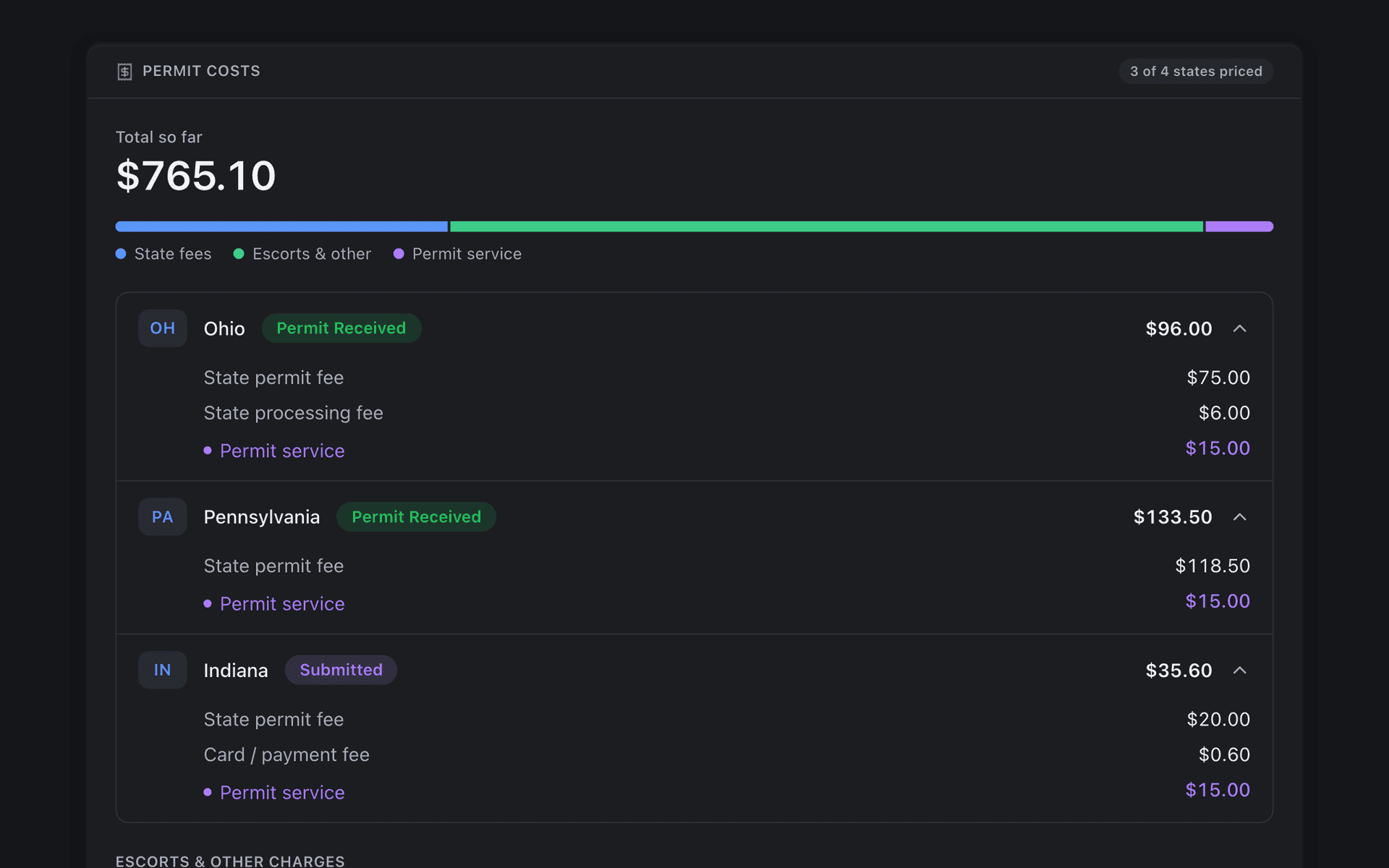
FleetLynk shows a carrier what its permits cost, state by state and line by line: state fees, escorts and other charges, and the permit office’s service. When the office bills the trip, the invoice copies the same lines from the same record, so the bill matches what your team already saw on the trip.
Your Director sees every line. A Dispatcher sees what each permit cost too: the state fees, escorts and other charges. The permit office’s own fee shows to a Dispatcher only if the office turns that on for your company.
Each invoice opens from its own link, with no account needed. Card and bank payments through Stripe, and Zelle, are switched on office by office, so ask your permit office which ones it takes. You can also split a bill into a unit invoice per truck, so each truck’s permits are counted on their own.
What would the permits cost for this load?
Permigo, a permit company that runs on FleetLynk, has a public permit cost calculator. This link opens it with an example load filled in: an excavator on a lowboy, Houston, TX to Atlanta, GA. Change anything.
How does my driver get the permits?
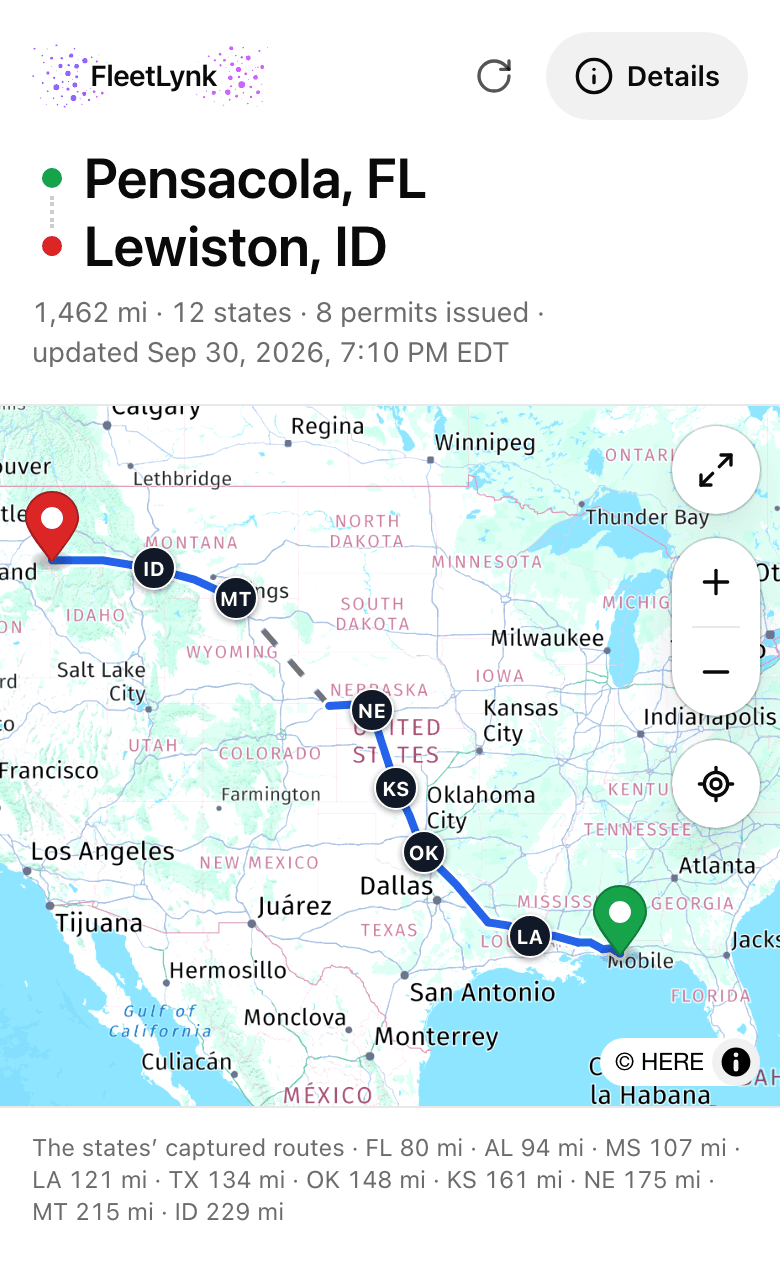
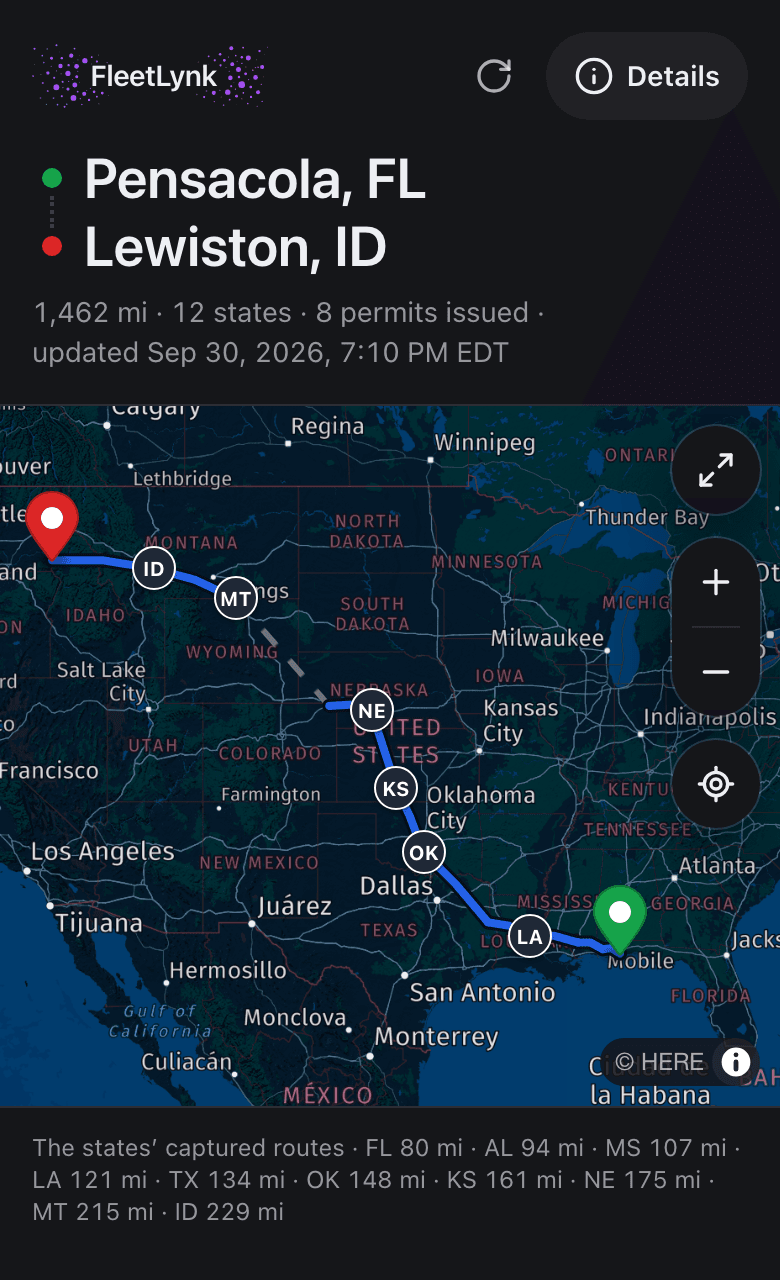
FleetLynk puts every permit for a trip on one link that the permit office sends to your driver. He opens it on his phone with no account and no app: the route map first, then a card for each state with its permit, the state’s written directions and a short summary of what the permit asks.
The same link picks up each new permit as the office gets it, so nobody resends anything halfway through the trip. Escort cars the office puts on the trip show up with a tap-to-call button for each one.
The link never shows money: no permit costs, no fees, no office notes. The blue arrow that marks his place on the map is worked out on his phone and never sent to the office or to you, and the link stops working by itself after 90 days.
How do I keep fleet paperwork current?
FleetLynk’s My Fleet keeps a carrier’s trucks, trailers and drivers in one list, with a chip on every dated paper: registration, inspection, insurance. A month out the chip turns into Expires in 30d and counts down from there. Scan a registration and the truck form fills itself, expiry date included.
One driver per rig: send a trip with a truck and trailer and they become that driver’s.
A plate and a registration state on every unit, because every permit application asks for them.
Retire a truck that leaves: its old trips and permits stay, and its unit number is free again.
Documents keeps every file, with a list you can export for an auditor or an insurer.
Maintenance reminds you by miles or by days, whichever comes first.
Drivers your permit office typed in for you arrive as suggestions: take him on, say he is yours, or decline.
Who on my team sees the money?
In FleetLynk a carrier has two roles. The Director / CTO is the owner’s role and sees all the money: permit costs, profit this month, cost per mile, loans and settlements. A Dispatcher works permits, trips and the fleet and sees what each permit cost, but never profit, cost per mile, loans or settlements.
Whoever creates the workspace stays its first admin and can never be removed. Teammates join from an emailed invite on the Team page, each with the role you pick for them, and every page checks the role again, so a hidden button is never the only lock.
What a Dispatcher sees
- Sees each state’s status and what each permit cost: state fees, escorts and other charges.
- Sees the permit office’s own fee only if the office turns that on for your company.
- Sees trips, loads without their rates, and the trucks, trailers and drivers in My Fleet without costs or values.
- Never sees profit, cost per mile, load rates, loans or settlements.
How do I find pilot cars for an oversize load?
FleetLynk’s Find pilot cars searches pilot car (escort vehicle) companies by ZIP, state or your own location, 1–500 miles out, filtered by service, state certification, minimum insurance and the day. You keep up to 20 saved searches, and on a permit office’s trip page a button opens the same search at the pickup on the pickup day.
Only companies FleetLynk has approved, with a complete listing, show up. Their badges say what FleetLynk actually checked: an insurance paper, a card, the phone. You call the company yourself, and no money passes through FleetLynk.
Already work with pilot car companies you trust? Invite them with one link, then see who joined and who is listed yet.
At a glance
- Apply
- Once per trip, on your permit office’s form, with your own trucks, trailers and drivers to pick from.
- Each state
- Its own status on the route: Waiting to start, Filed with the state, Permit in hand.
- Driver link
- One per trip. No login, never shows money, expires after 90 days.
- Permit costs
- State fees, escorts and other charges, and the permit service, line by line.
- Paperwork
- Expiry chips on registration, inspection and insurance; a registration scan fills the truck form.
- Pilot cars
- Search by ZIP, state or your location within 1–500 miles; keep up to 20 saved searches.
- Roles
- Director / CTO sees all the money; a Dispatcher sees what each permit cost, never profit, cost per mile, loans or settlements.
- Messages
- A thread with your permit office inside FleetLynk, written down where your team can find it.
- Signup
- Email or Google, your company name, a phone code and your USDOT. No card.
What FleetLynk doesn’t do. FleetLynk doesn’t file permits or set what they cost: your permit office files each state and sets its own fees, while FleetLynk keeps the application, the status, the driver link and the bill in one record.
Frequently asked questions
Can I apply for permits through FleetLynk?
Does my driver need an app or an account?
Can my dispatcher see what we spend on permits?
What does a carrier need to sign up?
Can I bring the trucks and drivers I already have?
Bring your fleet’s permits into one place.
Sign up as a carrier with your USDOT, or email support@fleetlynk.co and we’ll walk you through it.