Oversize permit software, from the order to the paid invoice.
FleetLynk is oversize permit software that keeps one record per trip and gives every state on the route its own permit line, called a leg. Each leg moves from Queued to Submitted to Permit received on its own. A filing sheet lists every value a state portal asks for, the driver gets one link, and the invoice is built from recorded costs.
#1042 · Web form
Houston, TX → Atlanta, GA
TXLAMSALGAFive states on the route
Trip #1042 · Example
- TXTexasQueuedSubmittedPermit received
- LALouisianaQueuedSubmittedPermit received
- MSMississippiQueuedSubmittedPermit received
- ALAlabamaQueuedSubmittedPermit received
- GAGeorgiaQueuedSubmittedPermit received
- CarrierCopiedExample Haulers
- PickupCopiedHouston, TX
- DeliveryCopiedAtlanta, GA
- CommodityCopiedExcavator
Driver packet
One link. No login.
Trip #1042 · Example
- Draft
- Sent
- Paid
From the order to the paid invoice.
How does a trip move through FleetLynk?
FleetLynk follows one trip from the order to the paid invoice. The office checks the order on Received, the permit check sets a leg for each state on the route, the desk files each state from its filing sheet, the driver opens one link, and an admin bills from the costs recorded along the way.
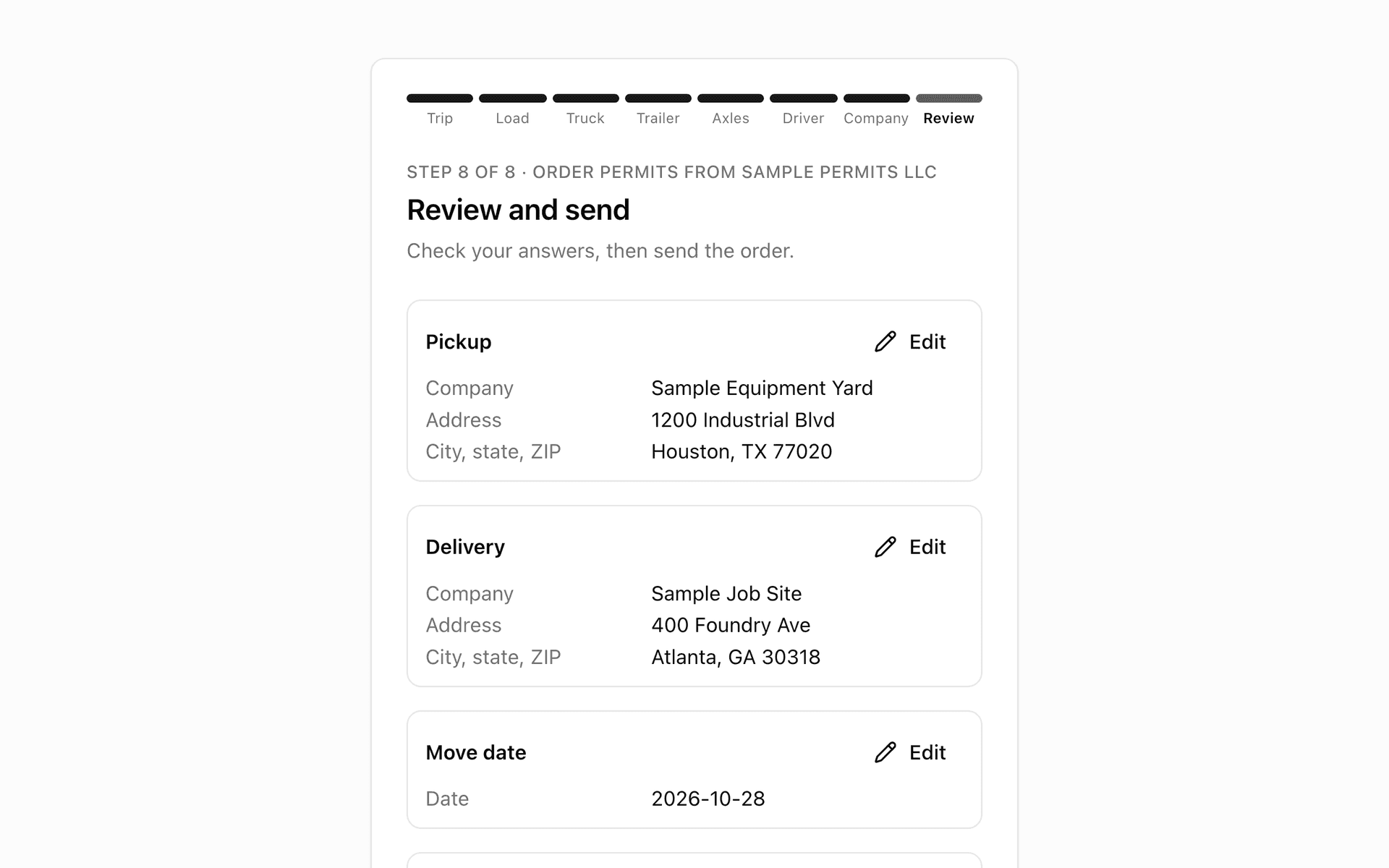
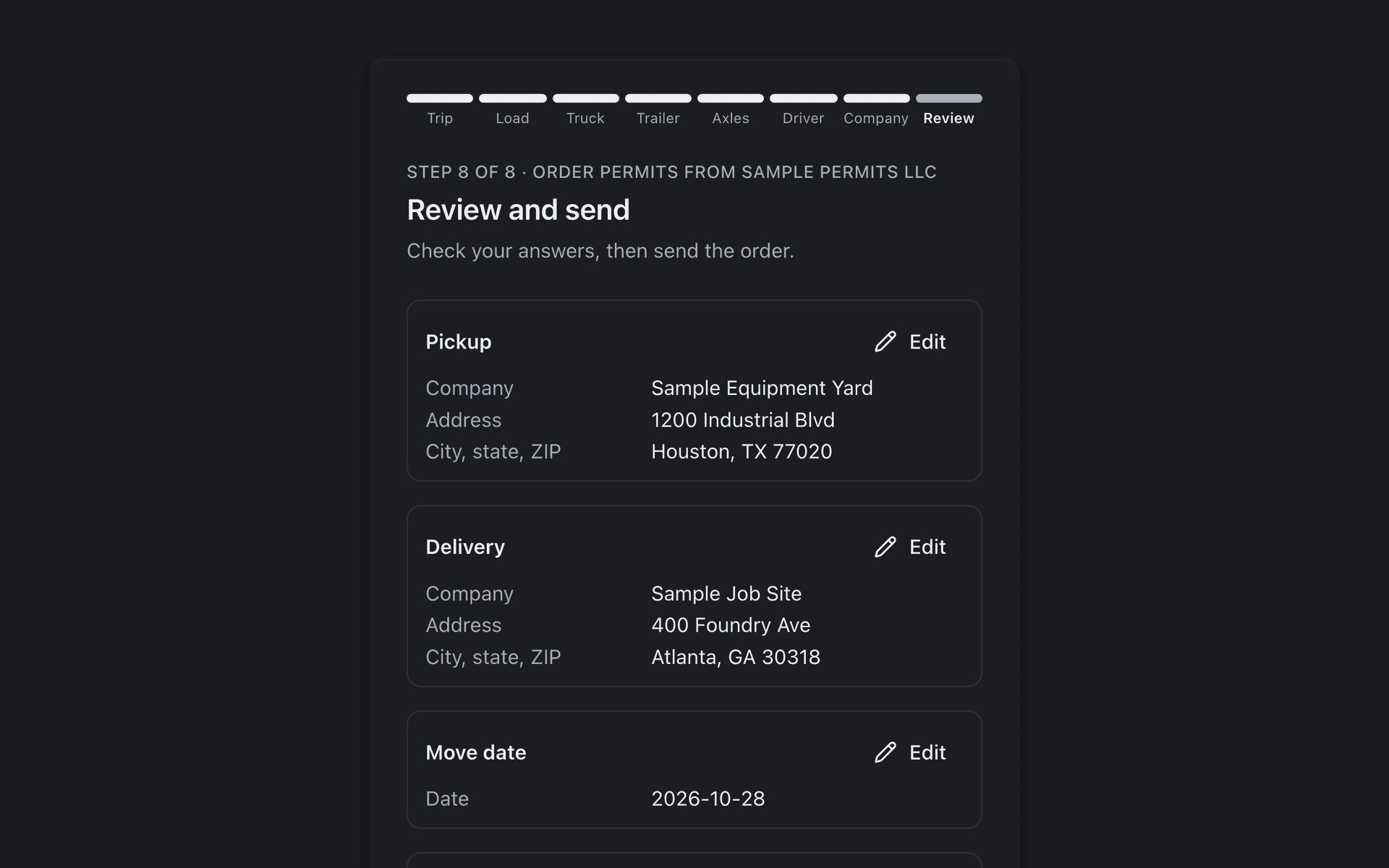
- An order lands on Received, the office’s inbox: a customer’s web form, a carrier’s application or a trip your office types. One press opens the trip form already filled in.
- The permit check routes the truck and marks each state on the way. One press turns those states into the trip’s legs, one per state.
- Each leg moves on its own: Submitted when the portal’s route is captured, Permit received when the PDF is uploaded.
- The filing sheet lists every value the state portal asks for, in the portal’s order, one click to copy each.
- The driver opens one link with no login: the map, a card per state, the permits and a short AI briefing.
- When the permits are in, an admin bills from the recorded costs, sends the invoice, and the trip archives once it is paid.
What FleetLynk doesn’t do: FleetLynk does not file or pay for permits on its own. Your desk submits each application and pays each state; FleetLynk keeps the record, copies the values and builds the invoice. It does not quote permit prices either.
What is oversize permit software?
Permit software for oversize and overweight loads keeps a heavy haul permit’s work in one place: who ordered it, which states the truck crosses, what each state’s portal asks for, which permits are in hand, what the driver carries and what the customer owes. FleetLynk does that in the browser, for permit offices and the carriers they file for.
Without it, a permit desk lives in spreadsheets, email threads and a browser tab per state portal, each asking for the same carrier, truck and load in its own order. The work is not hard, but it is easy to lose track of, and one missed state can hold up a load.
FleetLynk keeps that work on the trip itself. Each state the route crosses becomes a leg with its own status, each permit PDF sits on its state, and each line the customer is billed for comes from a cost the office recorded as it went.
What does FleetLynk’s heavy haul permit software include?
FleetLynk’s heavy haul permit software covers the whole desk: intake, the states on the route, filing, the driver’s copy and billing. Each part below runs today on the same trip record, so a change made in one place shows up everywhere that trip appears, from the boards to the driver’s phone.
Received
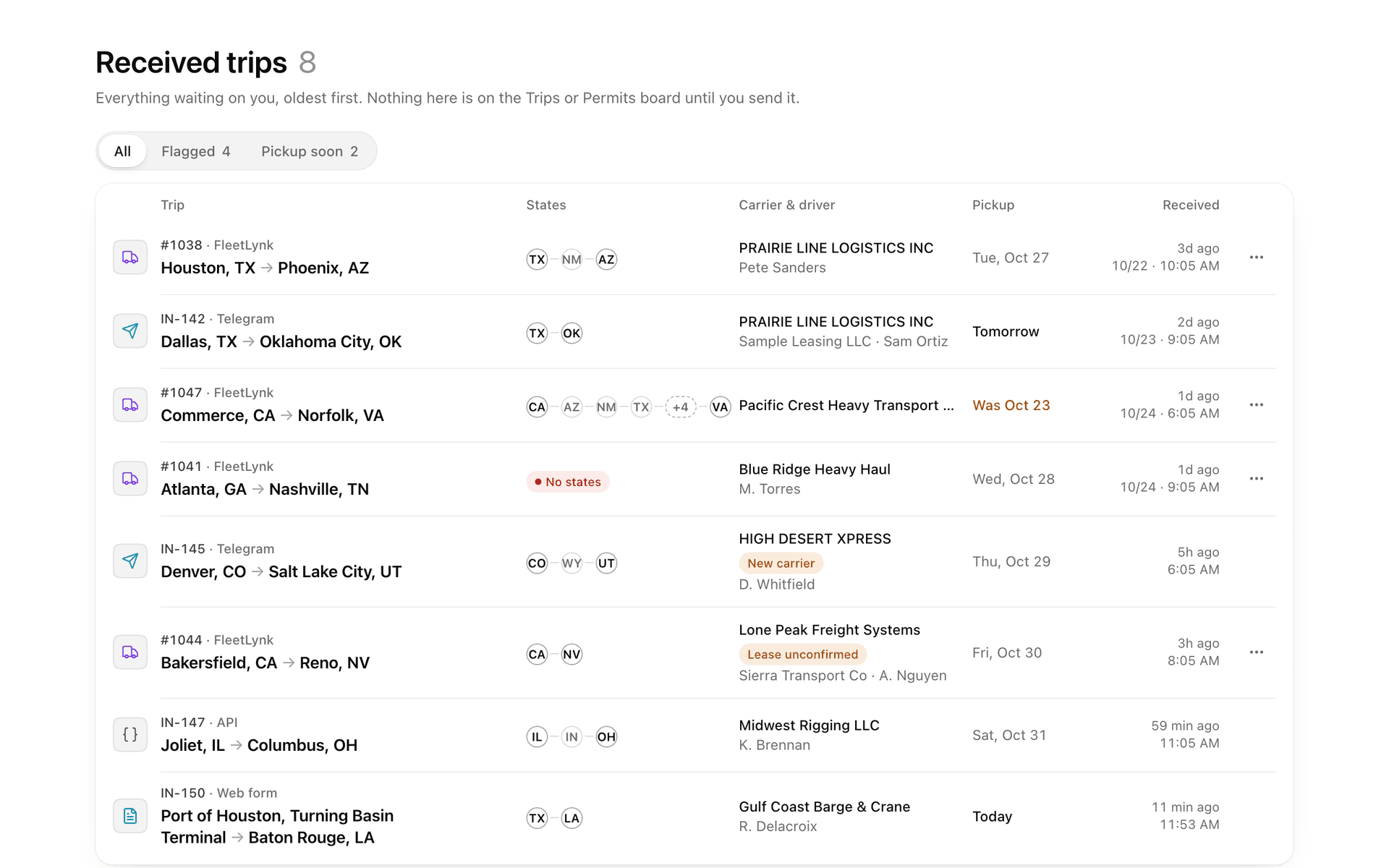
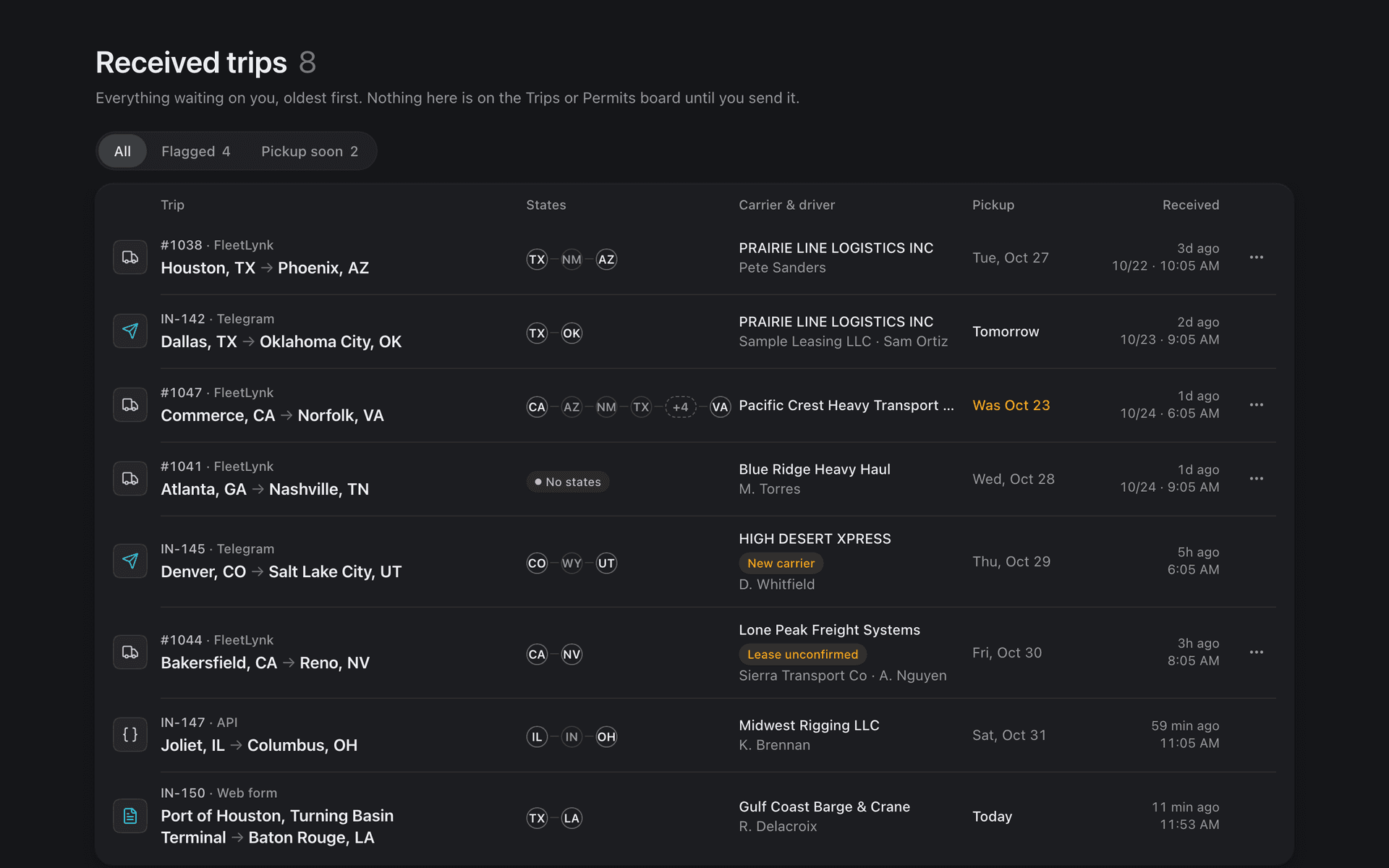
One inbox for the trips your office types, applications from carriers, owner-operators and drivers, and orders from your website link. One press turns an order into a trip form already filled in.
One leg per state
Each state on the route gets its own permit line, a leg, with its own status: Submitted when the portal’s route is captured and Permit received when the PDF is uploaded. A status only moves forward.
Permit check
On the trip form, FleetLynk routes the truck against oversize and overweight rules for 48 states and marks each state: needs a permit, worth a heads-up, or ok. One press makes those states the trip’s legs.
Filing sheet and pop-out
Every value a state portal asks for, in the portal’s order, one click to copy each, with a tick on what you copied. In Chrome or Edge it pops out into a window that floats over the portal.
Route tool
A private Chrome extension that copies the route a state approved onto the trip, in 25+ states, and refuses when the portal prints the miles and the copied road doesn’t match them. In Florida it also fills the application. It never presses Submit or Pay.
AI permit briefing
When a permit is uploaded, AI reads it and writes the driver a short briefing on travel times, escorts, flags and what to carry, ending with a reminder to read the whole permit. A second AI pass checks the briefing against the permit and adds a CHECK PERMIT line when something is off. It never fills in a permit’s cost.
Driver packet
One link per trip, opened on the driver’s phone with no login: the map, a card per state, the permit PDFs and the briefing. The link never shows money and stops working after 90 days.
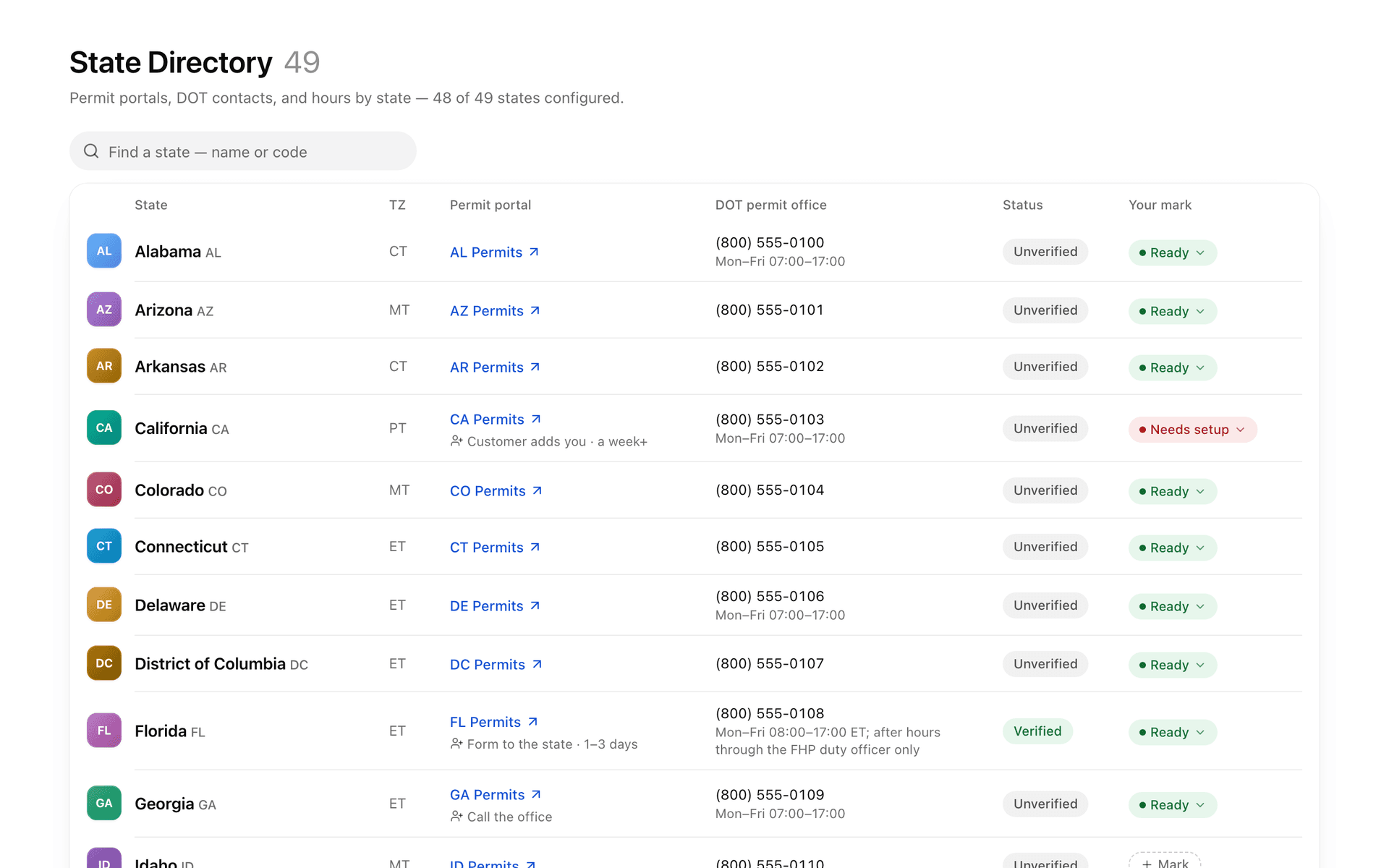
State Directory
The lower 48 states plus DC, each with its permit portal link and DOT permit office phone numbers, and where a state has them, its new-customer setup steps and the documents that ride with its permits. Your team adds its own notes and keeps its portal logins there, encrypted.
Invoices and unit invoices
An admin bills one trip or a week of one customer’s trips, with lines written from recorded costs. A bill can carry a unit invoice per truck: one truck’s trips on their own page, still one bill.
How does FleetLynk track a permit state by state?
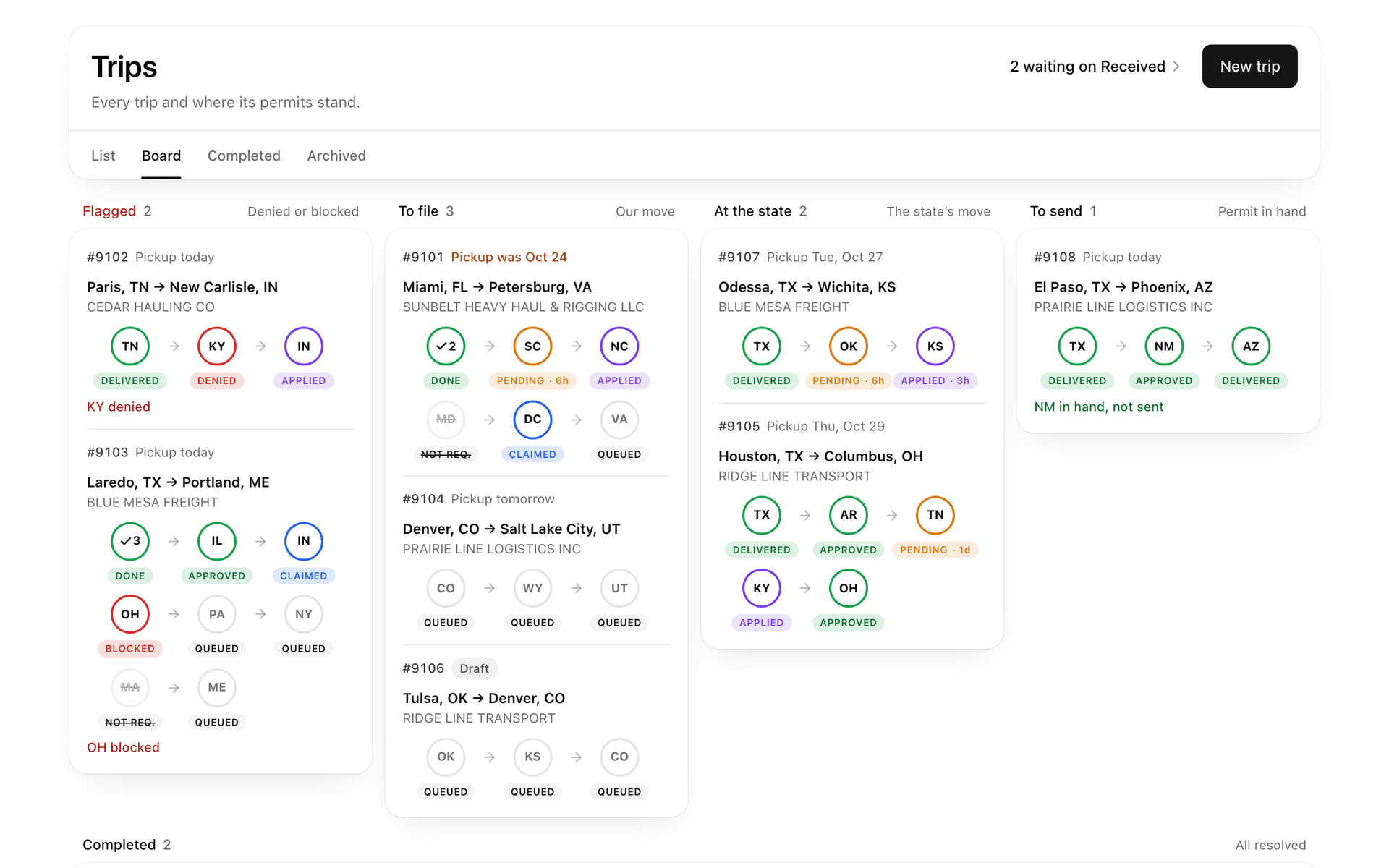
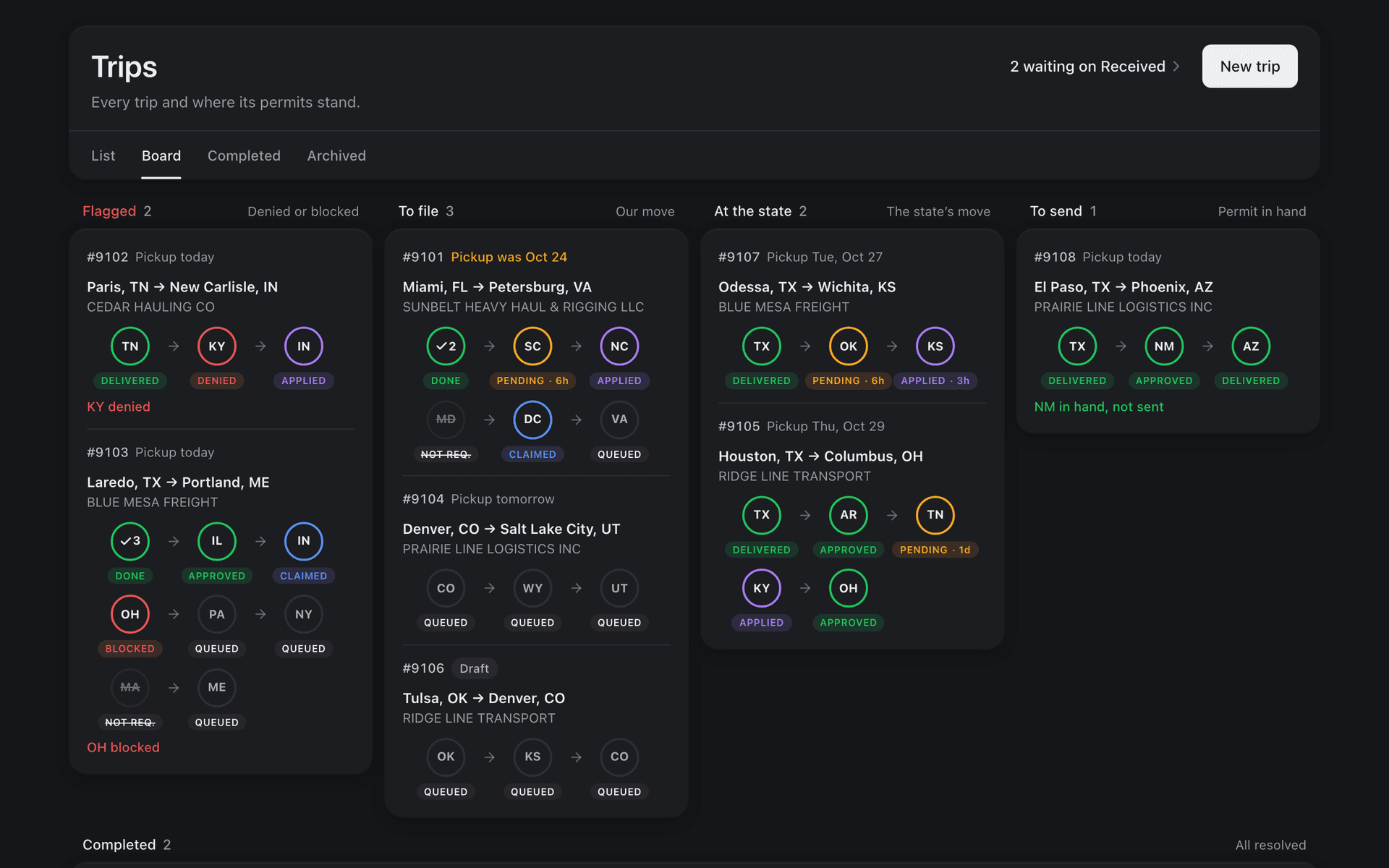
FleetLynk gives each state on a trip’s route its own leg, and each leg carries its own status. Sending the portal’s route or a screenshot marks it Submitted; uploading the permit marks it Permit received, at once. A status only moves forward, and the trip is Completed when every leg is delivered, refused or not needed.
When the road enters the same state twice, the trip has two legs there but needs one permit, so both legs move together. The Permits board shows the desk each leg, and a dispatcher can claim a state so two people never file the same one.
The same steps go by other names elsewhere in FleetLynk. The small pills on the Trips board say Applied for Submitted and Approved for Permit received, and the carrier who applied reads Waiting to start, Filed with the state and Permit in hand.
- QueuedThe state is waiting for someone at the desk to start it.
- SubmittedThe portal’s route or a screenshot is on the leg, so the state has the application.
- Permit receivedThe permit PDF is uploaded, and the AI briefing is written from it.
- DeliveredThe permit has gone out to the driver with the rest of the packet.
How does the filing sheet speed up a state portal?
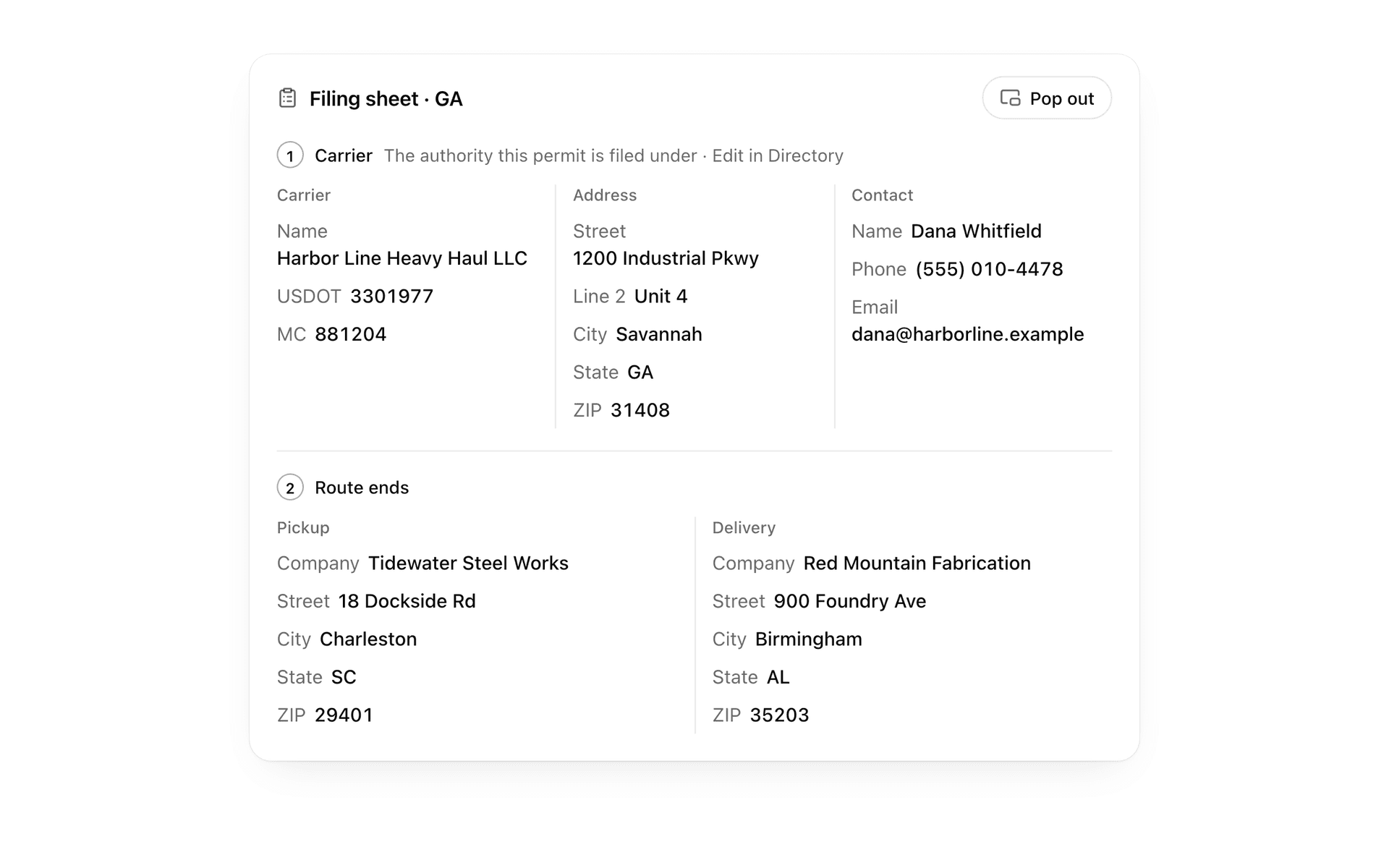
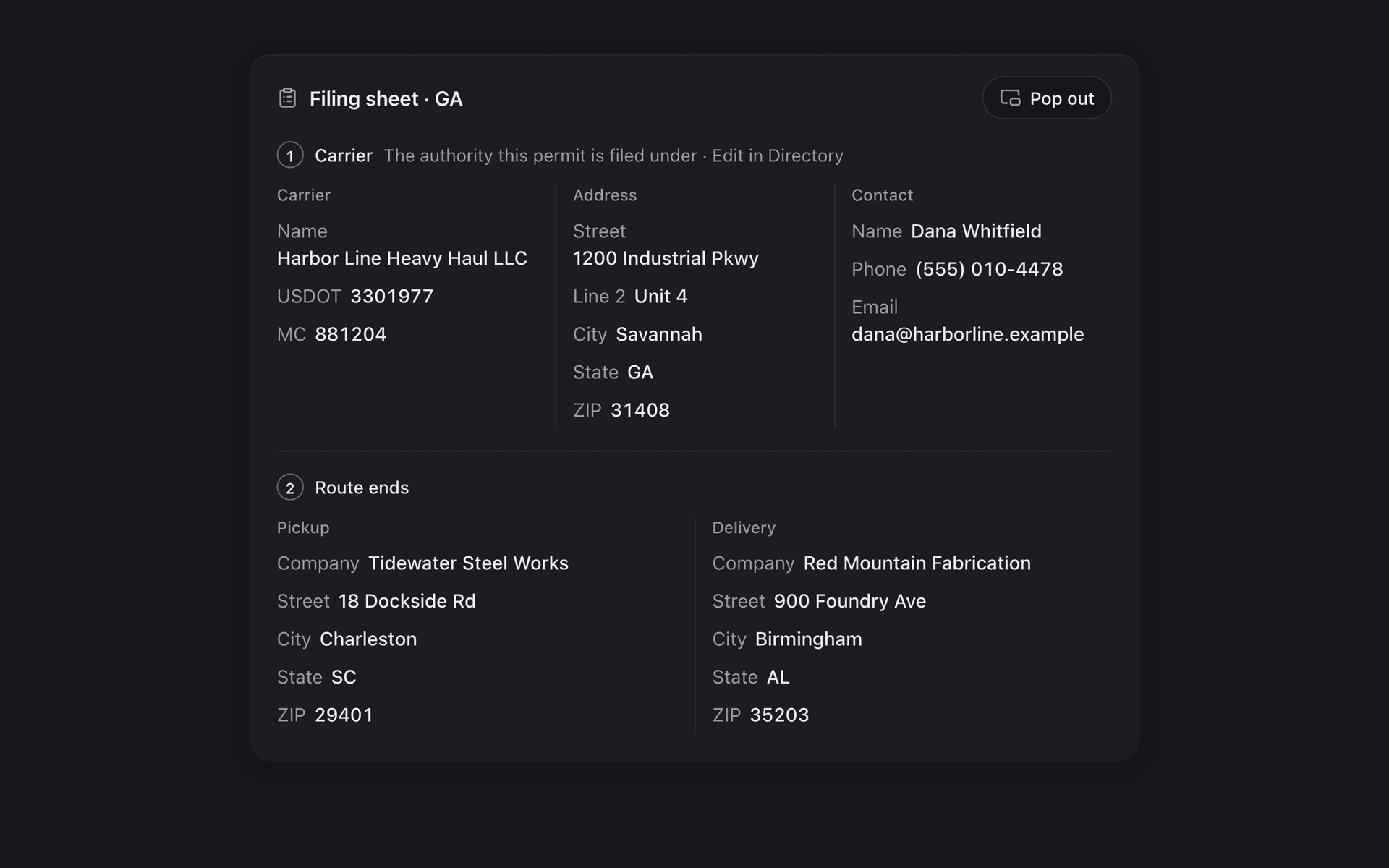
FleetLynk’s filing sheet puts every value a state permit portal asks for on one page, in the portal’s own order: the carrier the permit is filed under, its address and contact, the pickup and the delivery. One click copies each value, and a tick marks what you copied, so you see where you stopped.
In Chrome or Edge, the Pop out button opens the same sheet in a small window that stays on top of the portal, with the truck, trailer and load rows added. It closes with the trip’s page, so it never shows another trip’s values.
The route tool works beside it. It reads the route a state’s portal approved and copies it onto the right trip and state, refusing when the portal prints the miles and the copied road doesn’t match them. In Florida it also fills the application and highlights each box for a person to check.
What does the driver get?
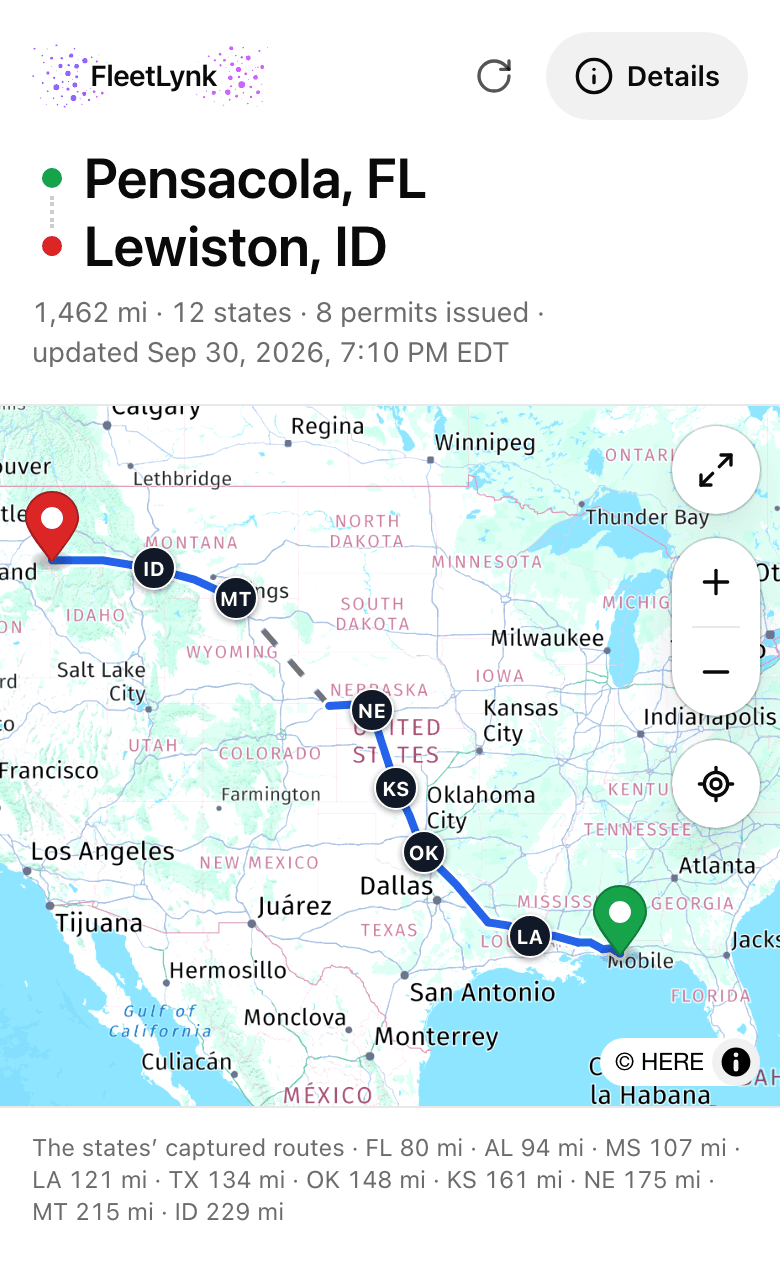
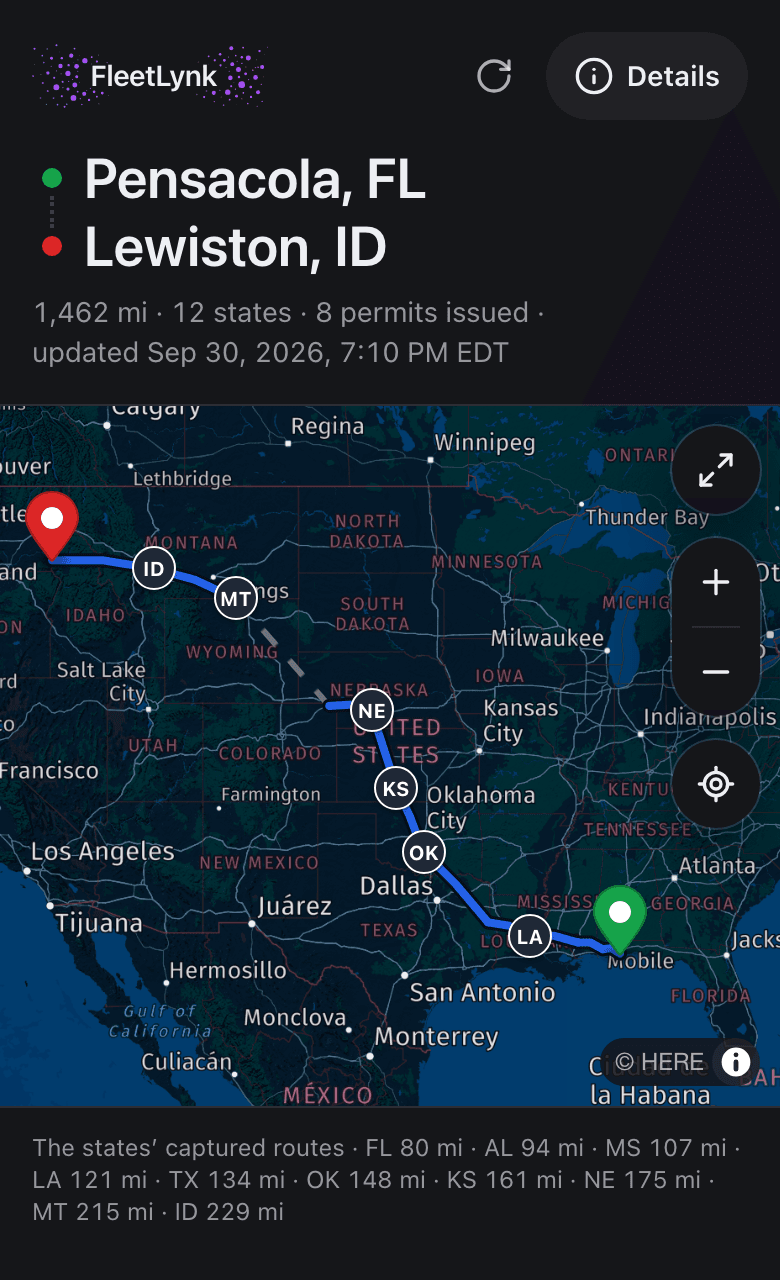
FleetLynk sends the driver one link per trip, opened on a phone with no account. The route map comes first, with each state’s permitted road, then a card per state in driving order: the permit, the portal’s written directions, the PDFs and a short AI briefing. The link never shows money and expires after 90 days.
When the office captures another state or gets another permit, the same link shows it on the next open. Once a state’s briefing is written and its map is there, the permit goes to the driver by itself. Only an office dispatcher can make or revoke the link.
- No login and no app to install
- Never shows money
- Stops working after 90 days
How do invoices come from permit costs?
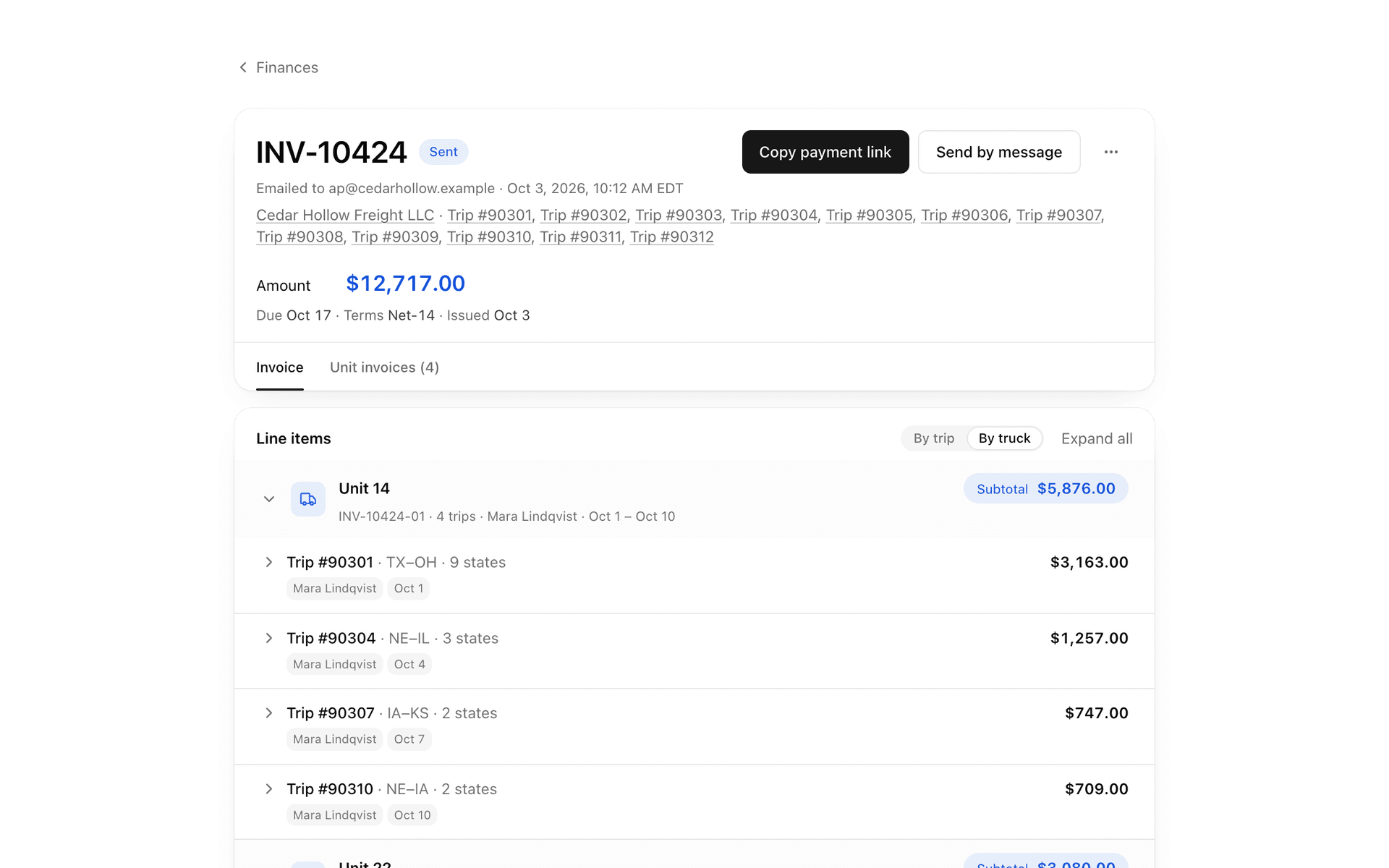
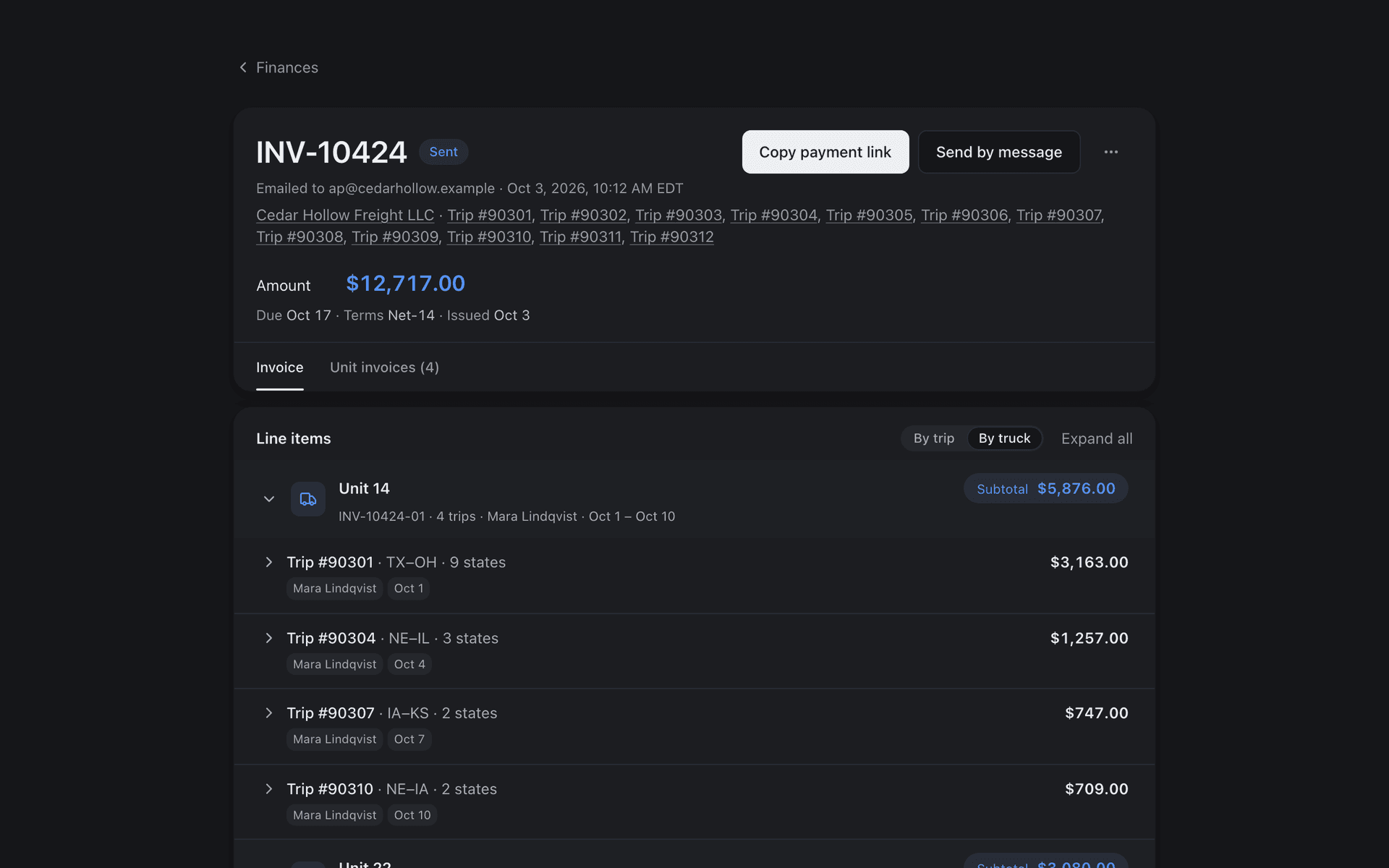
FleetLynk writes each invoice line from what the office recorded on the trip: the state permit fees, the service fee from the customer’s rate card, and other charges. An admin creates the bill for one trip or for a week of one customer’s trips; it starts as a draft, and Send gives it the next number.
A bill can carry a unit invoice for each truck, so a carrier sees one truck’s trips on their own page while still paying one bill. A sent bill is never edited: a wrong one is voided, keeps its number, and its trips can be billed again.
The customer opens a pay link with no account, and a paid invoice archives its trip. Card and bank payments through Stripe, and Zelle, are switched on office by office — ask us about yours. Where Stripe is on, a card adds a 3% surcharge for the customer and a bank payment costs the office up to $5. An admin can also mark a bill paid by hand when a check or cash comes in.
What changes when the permit desk moves into FleetLynk?
FleetLynk does the remembering and turns retyping into one click per value; the decisions stay with your desk. The desk still files each state, answers the customer and checks every permit. The table below compares five jobs each heavy haul permit goes through, done by hand and in FleetLynk, from the first order to the last invoice.
| Job | By hand | In FleetLynk |
|---|---|---|
| Intake | Orders arrive by email, phone and chat, and someone retypes each one into a spreadsheet. | Web orders, carrier applications and your own trips land on Received, one inbox; one press turns an order into a filled-in trip. |
| Per-state status | A spreadsheet column per state, updated when someone remembers to. | A leg per state that turns Submitted and Permit received by itself as the work is done. |
| Filing | Each portal asks for the same carrier, truck and load in its own order, typed again for each state on the route. | The filing sheet lists each value in the portal’s order, one click to copy, with a tick on what was copied. |
| Driver handoff | Permits forwarded one PDF at a time, with the notes in a separate message. | One link per trip with the map, a card per state, the PDFs and an AI briefing; no login, never money. |
| Invoicing | Costs added up from receipts and emails, then typed into a separate invoice. | Lines written from the recorded permit costs, service fee and other charges; Send gives the bill its number. |
Which states are covered?
FleetLynk’s permit check carries oversize and overweight rules for 48 states, and its State Directory covers the lower 48 plus DC with permit portal links and DOT phone numbers. The route tool reads approved routes in 25+ states and fills the application in Florida only. A state with no rules is named, never skipped.
At a glance
- Oversize and overweight rules
- 48 states, used by the permit check on the trip form.
- State Directory
- 48 states plus DC: permit portal links and DOT permit office phones.
- Route tool
- Reads approved routes in 25+ states. A private Chrome extension that never presses Submit or Pay.
- Form fill
- Florida only, with every filled box highlighted for a person to check.
- Driver link
- No login, never shows money, and expires after 90 days.
- Route plans
- Up to 100 map pins, with a GPX file for GPS apps, a printed route sheet and the driver link.
Last updated
Can I price a load before I order permits?
FleetLynk does not quote permit prices: the office records what each state charged as it files. To see what a load might cost first, use the calculator of Permigo, a permit company that runs on FleetLynk. Each link below opens it with an example load already filled in, and you can change anything.
A wide, heavy load from Houston, TX to Wichita, KS, across three states.
- TX
- OK
- KS
An excavator on a lowboy from Houston, TX to Atlanta, GA, the trip in the animation above.
- TX
- LA
- MS
- AL
- GA
Who is FleetLynk’s permit software for?
FleetLynk’s permit software has two sides that share one trip: the permit office that files, and the carrier or owner-operator who applies. The office works the legs, the filing sheet and the invoices; the carrier applies once, follows each state’s status and sees what each of its permits cost.
Frequently asked questions
What is OSOW permit management software?
Which states does the route tool read?
Does the route tool submit or pay for a permit?
What does the driver see on the permit link?
Can I invoice per truck?
How does a leg’s status change?
Put your permit desk on FleetLynk.
Email support@fleetlynk.co and we’ll set it up with you, or sign up and look around first.