Your company’s data stays your company’s.
FleetLynk keeps each company’s trips, permits, invoices and files in its own workspace, and the database itself checks every read against the company a record belongs to. Below is what guards your data today, in plain words: roles, Stripe, locked portal logins and a driver link that expires.
- Trips
- Permits
- Invoices
- Team
- Files
- Notes
- Portal loginsEncrypted
Security at a glance
- Workspaces
- One per company, kept apart by row-level security in the database.
- Roles
- A carrier’s Dispatcher sees what each permit cost, never profit or settlements; a permit office’s money belongs to its Admin.
- Payments
- Card and bank payments through Stripe, and Zelle, are switched on office by office — ask us about yours. No card number reaches FleetLynk.
- Portal logins
- Encrypted. FleetLynk staff can’t open them in the app, and every reveal is recorded.
- Driver link
- No login, no money shown, ends after 90 days or when the office turns it off.
- Pilot car documents
- Reviewed by a person at FleetLynk; any edit takes Verified off.
How does FleetLynk keep each company’s data apart?
FleetLynk gives every company its own workspace. Each trip, permit, invoice, file and note is stored with the company it belongs to, and a rule inside the database itself, called row-level security, checks that whenever anyone reads or changes a record. A person signed in to one company cannot open another company’s records unless the two companies share them.
Some records are meant to be shared. When a carrier connects to a permit office, both companies see the trips they share, and the carrier’s own team sees what its permits cost, line by line. No other company does.
FleetLynk’s own platform staff can open a workspace to give support and to review pilot car documents. Saved state portal passwords are the exception: staff can’t open them in the app.
Hiding a button is never the lock. Every page and every save checks on the server who you are and what your role allows, so typing a page’s address straight into the browser doesn’t get past a role.
- The trip and its permits
- What each permit cost
Who on my team sees what?
FleetLynk gives each person on a team a role, and the role decides what they see. In a permit office the Admin holds the money, the team and the public listing, while Dispatchers do the permit work. A carrier’s Dispatcher sees what each permit cost, but never profit, cost per mile, loans or settlements.
A carrier’s owner holds the Director / CTO role and sees the whole company, money included. A permit office’s own fee shows to a carrier’s Dispatcher only if the office turns that on for that carrier.
| Company | Role | Works on |
|---|---|---|
| Permit office | Admin | Everything, including money, the team and the public listing |
| Permit office | Team Lead | The permit work, plus fixing a received trip’s load facts |
| Permit office | Dispatcher | The permit work: Received, the boards, trips and the Directory |
| Carrier | Director / CTO | The owner’s seat: the whole company, money included |
| Carrier | Dispatcher | Permits and what each permit cost; never profit, cost per mile, loans or settlements |
| Pilot car company | Owner or admin | The profile, operators, vehicles and documents |
| Pilot car company | Member | Can look, changes nothing |
How are online payments handled?
Card and bank payments through Stripe, and Zelle, are switched on office by office — ask us about yours. Where Stripe is on, the customer types card or bank details on Stripe’s own page, so FleetLynk never sees or stores a card number. Once Stripe confirms the money arrived, FleetLynk marks the invoice paid.
How are state portal logins kept?
A permit office can save its state portal logins in the FleetLynk State Directory. Each password is encrypted and stays locked until someone whose role allows it reveals it, and every reveal is recorded. FleetLynk staff can’t open an office’s saved logins in the app.
A login is revealed and copied on the permit page, where the clerk is filing, and changed only in the State Directory, so nobody has to keep the office’s passwords in a spreadsheet or a group chat.
What does a driver’s trip link show?
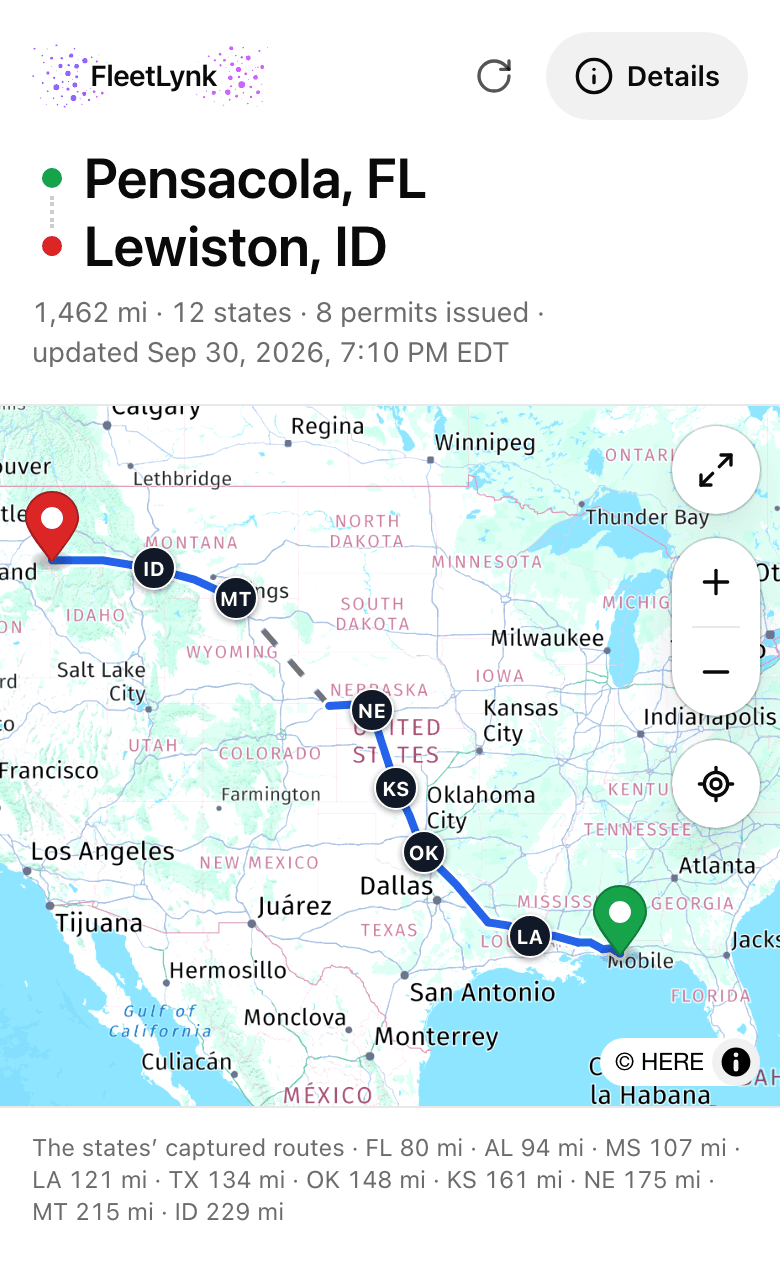
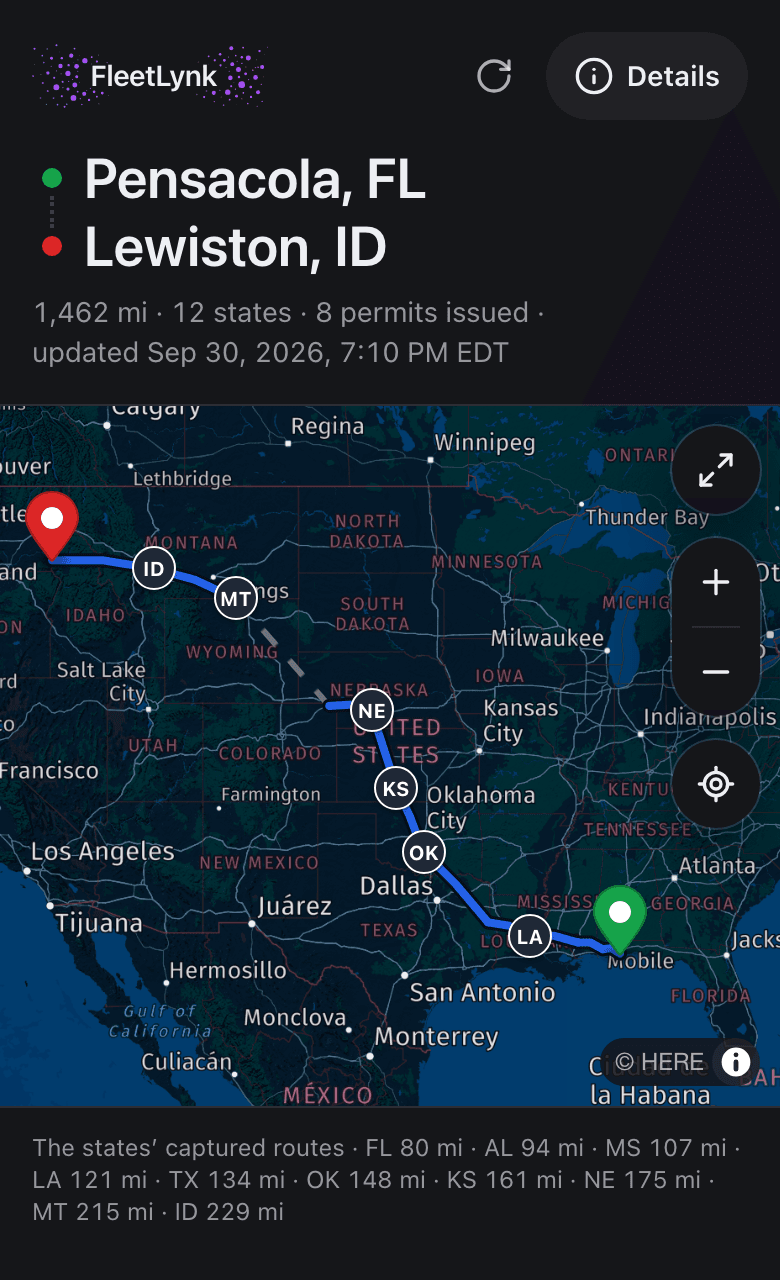
FleetLynk gives each trip one driver link that opens with no login. It shows the route, the map, each state’s permit and the escort cars, and never money: no permit cost, no fees, no office notes. The link stops working after 90 days, and an office dispatcher can turn it off before then.
The driver’s own position on the map is worked out on his phone and never sent to the office.
A revoked, expired or mistyped link all show the same words, “This link is no longer valid”, so an old link gives nothing away.
Who checks pilot car certifications and insurance?
A person at FleetLynk reviews each certification card and insurance policy a pilot car company uploads before carriers see it as Verified. Software reads each document and points out typos, but only a person decides. Any edit, new file or rename takes the Verified badge off until FleetLynk checks again.
The files stay private to the pilot car company and FleetLynk. Only the company’s owner or an admin can change anything.
How does FleetLynk check who signs up?
FleetLynk starts every new login from a confirmed email address, by a confirmation email or a Google sign-in. A company that signs up on its own also gives a phone number, which FleetLynk checks with a one-time code, and a carrier gives its USDOT number. When another account already holds that number, the FleetLynk team checks it with FMCSA.
A new password must be long and mix upper and lower case letters, a number and a symbol; a meter shows its strength as you type. Signing out ends the session on that device only, so leaving a shared office computer doesn’t sign you out of your phone.
FleetLynk doesn’t keep card numbers, doesn’t send a driver’s position to the office, and doesn’t let one company open another company’s workspace.
Can FleetLynk staff see my company’s records?
Can a permit office turn off a driver link early?
Does signing out end every FleetLynk session?
Where do I report a security concern?
Questions about your data?
Email support@fleetlynk.co, or sign up and see how your workspace is laid out.